Create a new leave type
Create a custom type, such as “Personal Leave” or “Hourly Leave,” on Admin Panel → Leave → Leave Types.
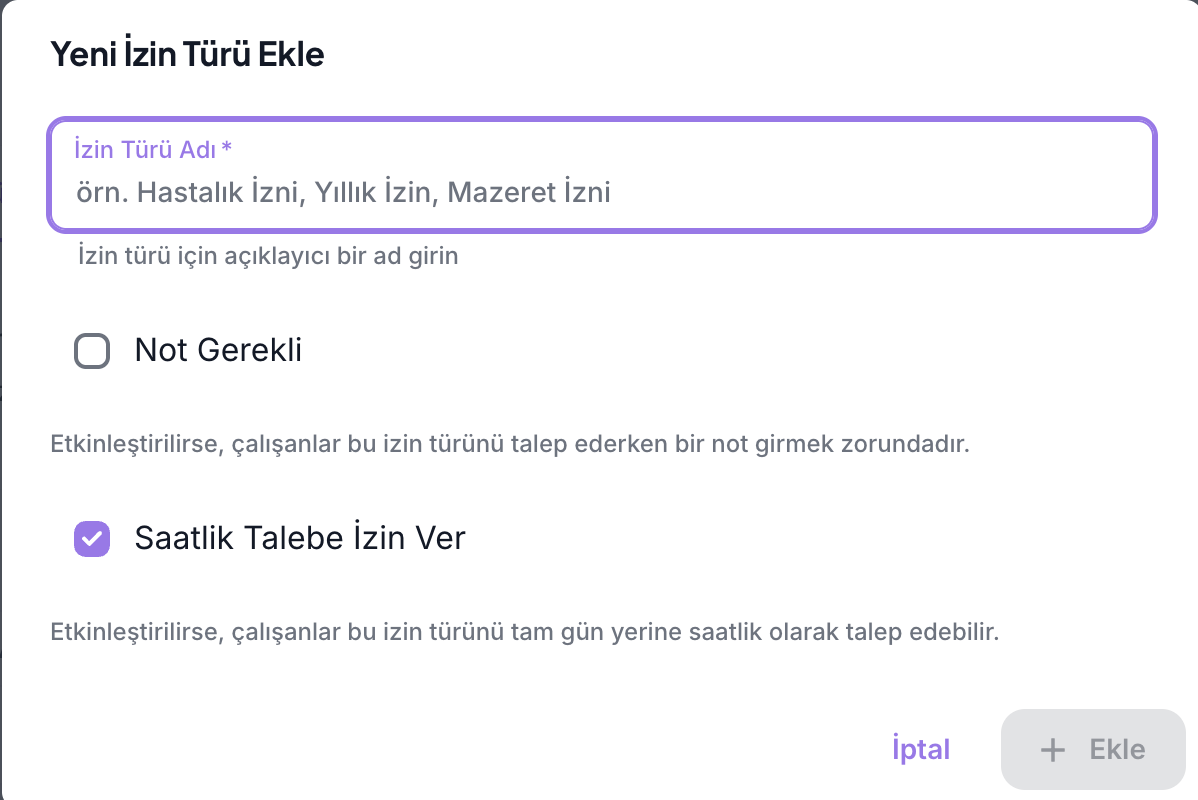
- Click Add Leave Type.
- Enter a name employees will understand in Leave Type Name.
- Select Note Required if employees must include a note with requests of this type.
- Set Allow Hourly Requests as needed.
- Click Add. The new type appears as Custom in the list.
What does “Allow Hourly Requests” mean?
- On: Employees can select start and end times for a same-day request. Multi-day requests are calculated in days.
- Off: The request form hides the time fields; the type can only be requested in full days.
This option does not set the leave allowance. For example, a “12 days/year” allowance is configured in the type's Entitlement rules after attaching it to a policy. Allowing hourly requests does not require every request to be hourly.
Check that it is attached to the employee's applicable policy. The request form lists only types in that policy.
The All / Default / Custom controls only filter the table. The Employee Leave Type Setting toggle controls whether employees may use default or organization-specific types; it is not a table filter. System default types cannot be deleted here. Before deleting a custom type, consider its existing policy links and requests.
This table has no edit button for the type name, Note Required, or Allow Hourly Requests. These are selected when the type is created. Before deleting an incorrectly configured custom type and creating a replacement, check linked policies and historical requests.